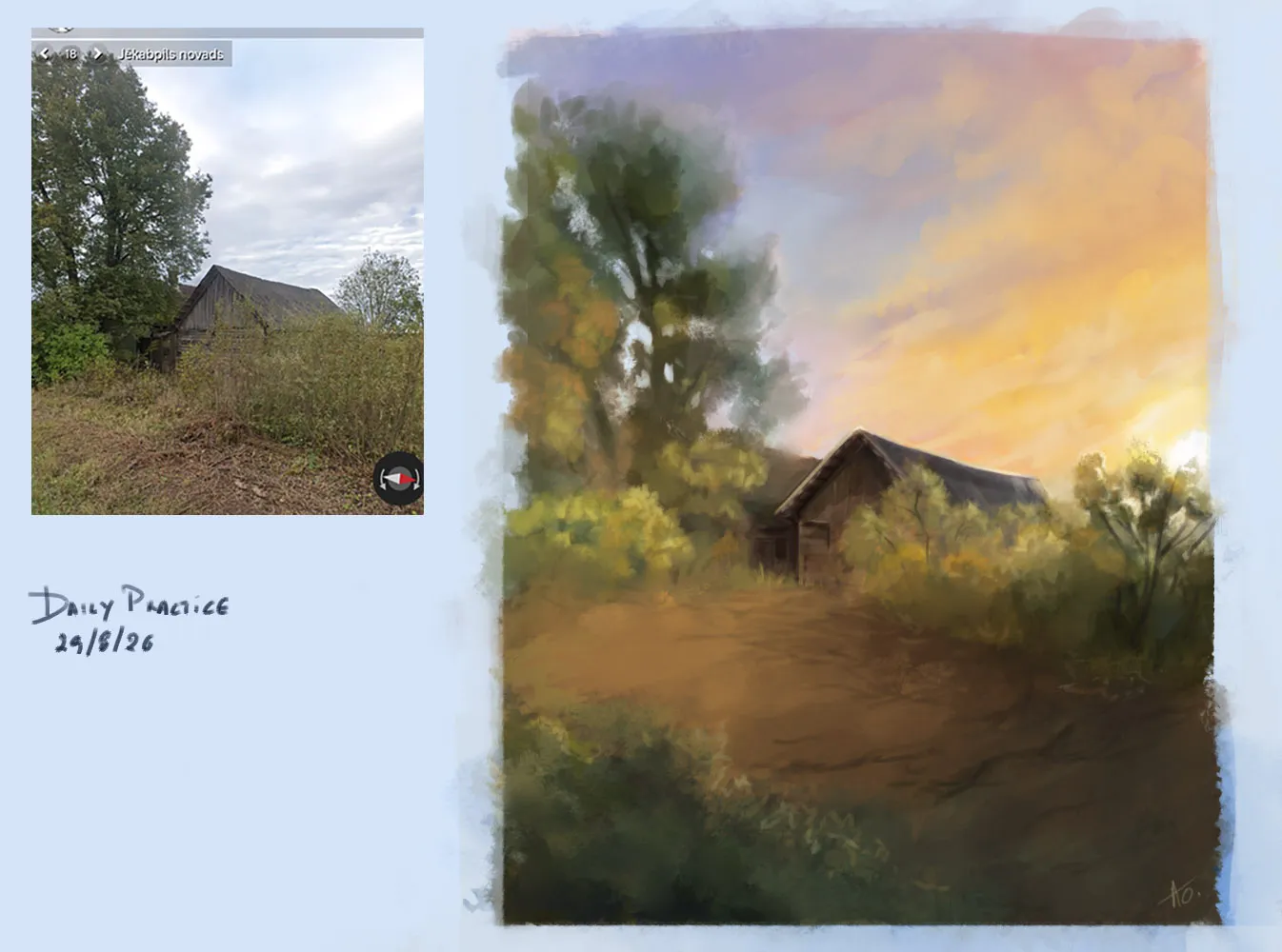
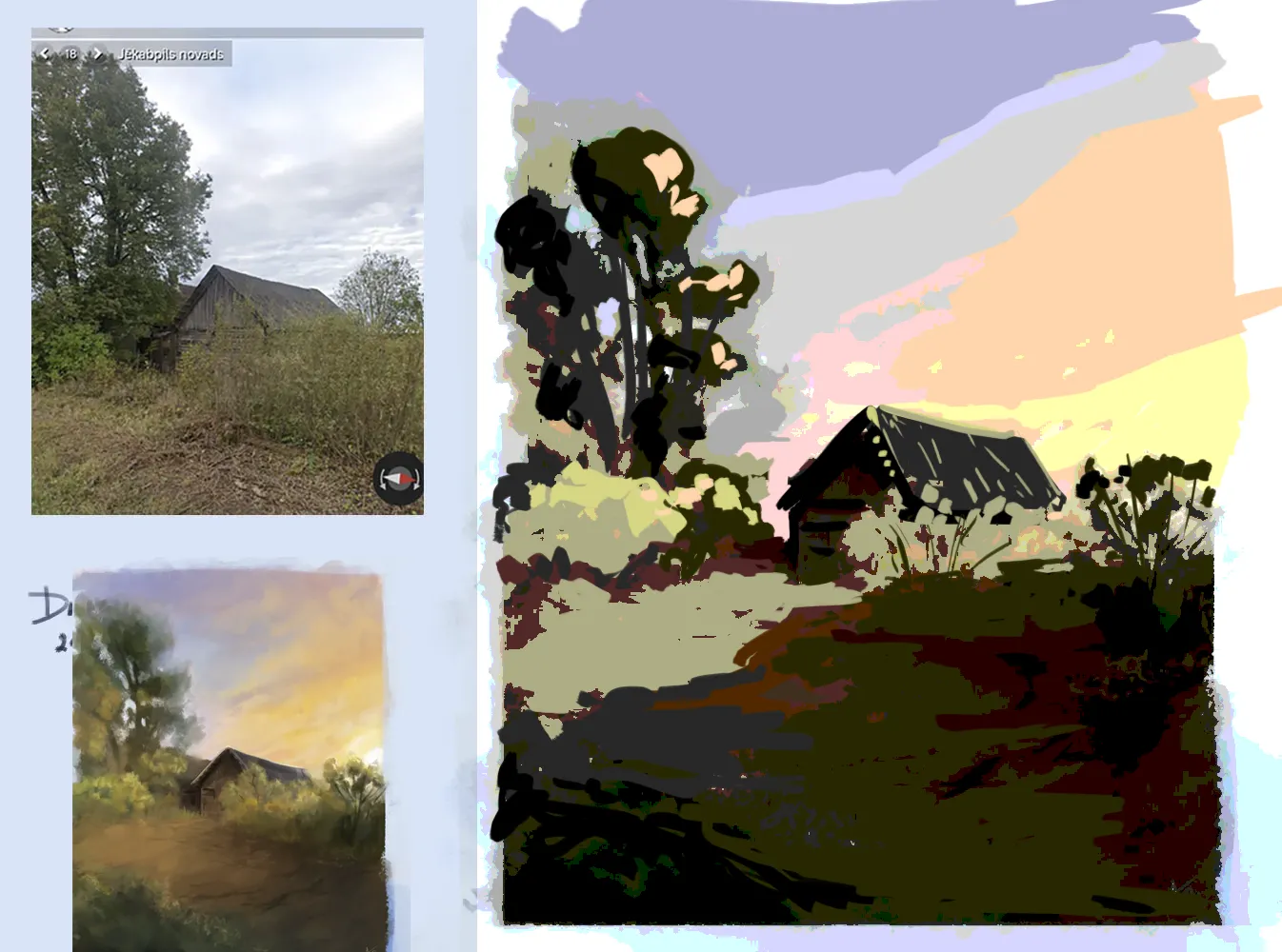


Hi, here is my answer how you couldestablish the shapes with color, although I would say that it is not the way to go. Values are for shape design, color fills the value shapes, and deliver the inforamtion more inforamtion. The way to think about such study is to narrow your eyes and identify main shapes that are visble, group elements into light and shadow masses, rather than look for separate objects - that is your block in. Try also to ignore the texture inside those shapes as long as possible. Preferable work within mximum of 5 vaules range. Hope that makes sense, if you have questions, let me know, keep up the good work!
Thank u!the paint over helped me a lot for the values. I do have another feedback request.i can't understand how to make the transition from the values/shapes to color,like what's the next step.i always painted in grayscale first till shapes and values are ok and then went in layer modes for the color and the outcome was solid.now I try to do it without grayscale and modes and I fail miserably.its like a different mentality.i feel there is a huge knowledge gap somewhere but I can't tell what's exactly missing.if u could give me a direction on where to focus my study I'd be glad.thank u for ur time and for the helpfull feedback!
Glad I could be of help. Yes, I can give you direction how to approach painting color into a value image, it requres a specific way of thinking, where values are a graphic representation of light and shadow, and while focusing on describe said shapes of light and shadow, you work in maximum of 5 values, and need to try disregard boundries of objects. For some thoery I would recommend Devin Korwin book Creative Fundamentals Vol. 1 and 2 For tutorial please look for Shaddy-Safadi-Digital-Painting-003 On youtube, there is of course 1 and 2 , but video number 3 speaks about applying color on values. The main premise of this technique is to block in a shape in grpahic manner, than block this shape - lock the layer, make a selection, whatever way you can, and paint in color and texture on separate layer, in a way no destructive way for the value shape. Hope it make sens.