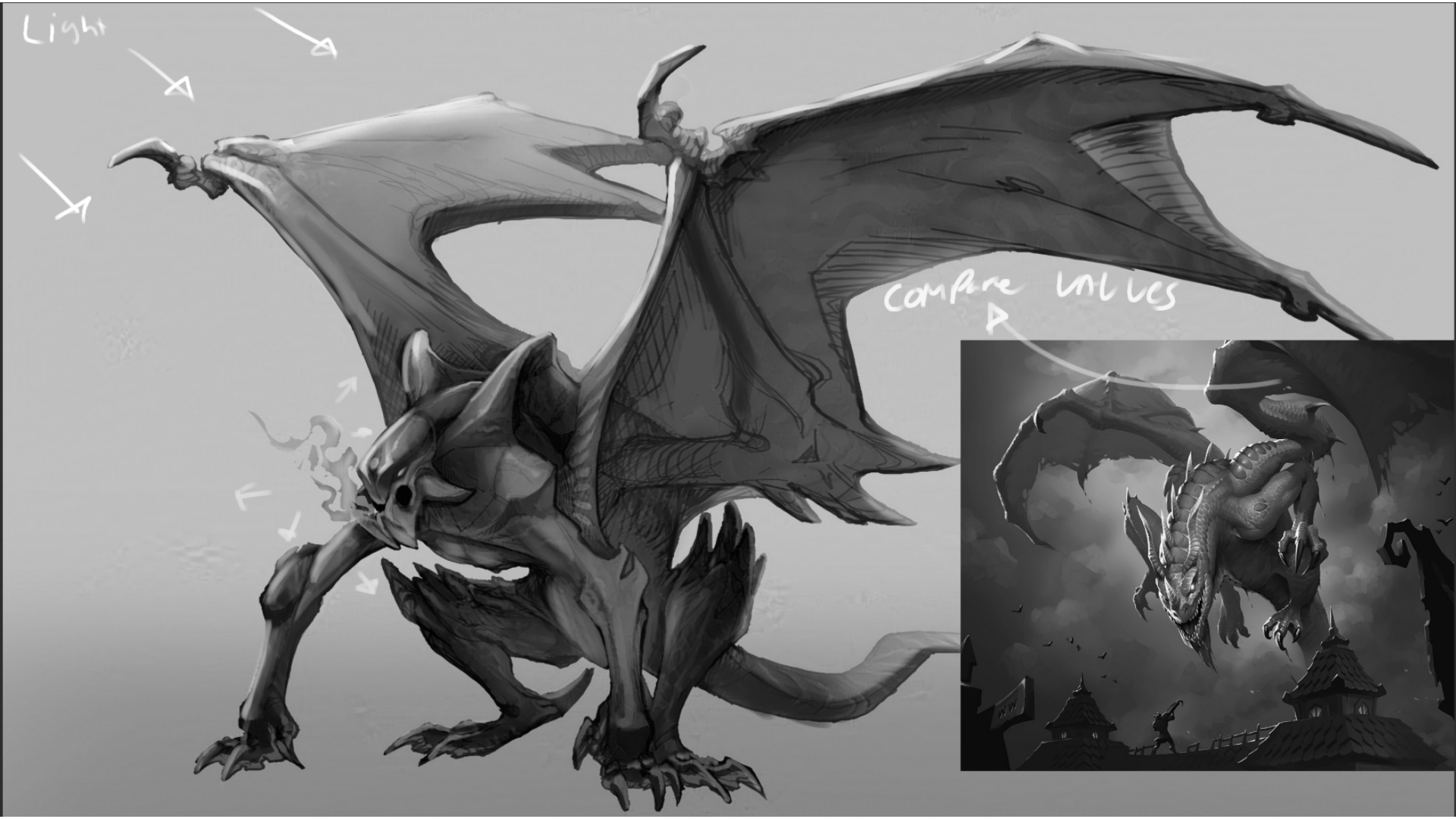
So when it comes to rendering specially when you are starting out I recommend finding a similar reference of quality to compare too. Because you have a dragon I pulled up a reference that firs my personal style which is sticking closer to hearthstone, the image attached is the loathsome dragon card art from hearthstone. This might not be your preference and thats ok this is just an example! all I did to make the image black and white btw was put a solid black layer on top and set it to color mode, from here you can use layer modes on top to add light and shadow, then you can remove the black layer and voila, new values and you can tweak it a bit pretty easily! here's what to take note of in terms of polish and values. Notice the value grouping, the shadow areas are pretty consistent on the dragon. notice how the rim light is used and you can easily tell the light source is coming from the top left. There is also another small light source that is being used to light the dragon itself to identify the face as the focal point. you will also notice that it is shaded pretty dang simply, you can make out all the areas of where light separates and shadow starts this is what you want in your image! I think if you focus on that and shade some spheres and cylinders and cubes as a warm up, then jump into shading this piece, i think you'll nail it! heres some videos explaining! https://www.youtube.com/watch?v=HQs5jnltSWY https://www.youtube.com/watch?v=oEwdvgu7gUQ They are both on the Artwod Youtube channel! they are "If you struggle with painting, please watch this" and "You will NEVER be confused by Values again after watching this video"
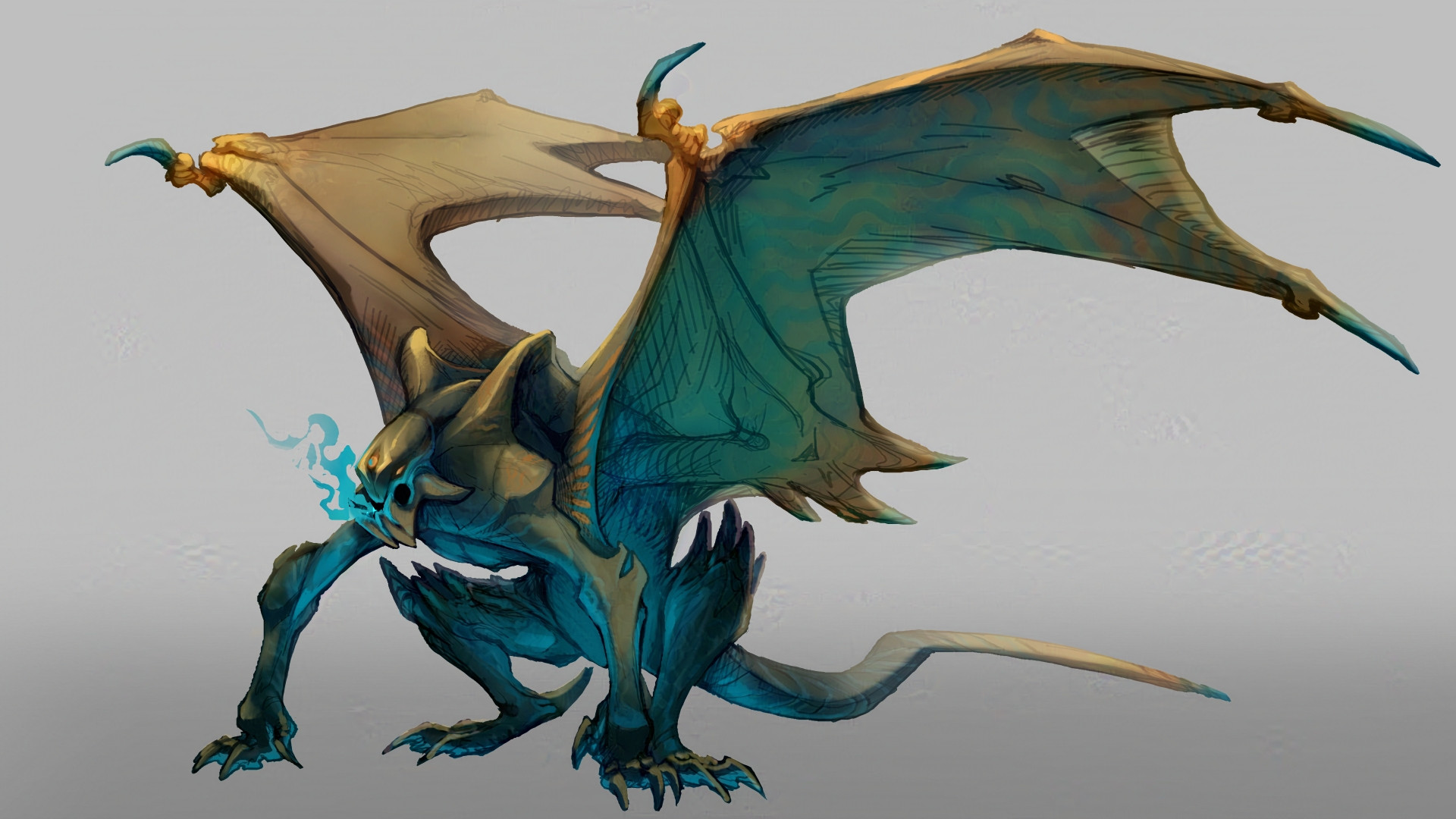
Viewing paintover by @michaelm
Paintovers (1)
What I personally struggle with is finishing and polishing up a piece! No matter which one it is. I find that every attempt ends up with the final having blown out values and some areas don't make sense... What would be your suggestions for pushing a concept or a piece across that finished artwork line?
Artist's notes:
What I personally struggle with is finishing and polishing up a piece! No matter which one it is. I find that every attempt ends up with the final having blown out values and some areas don't make sense... What would be your suggestions for pushing a concept or a piece across that finished artwork line?