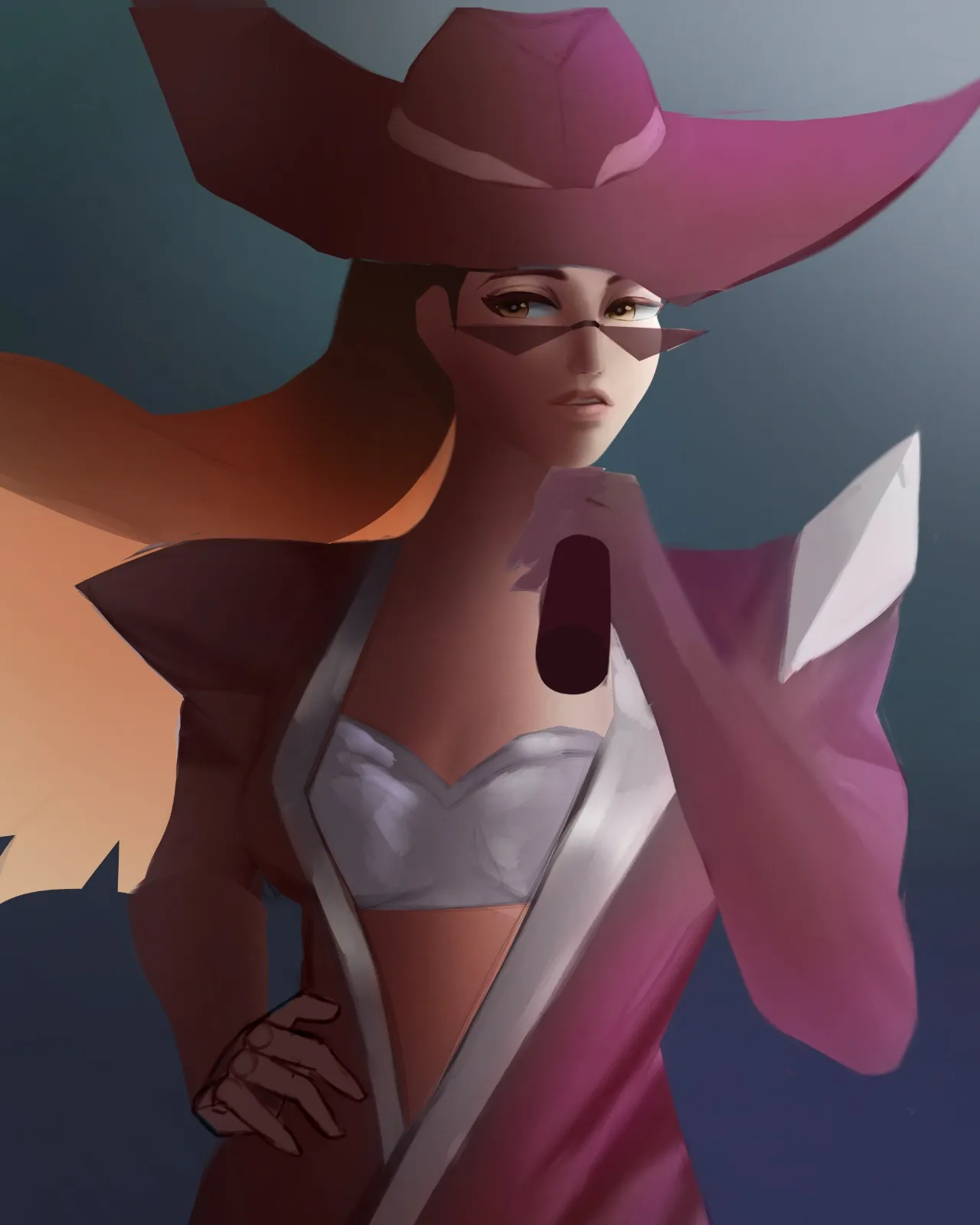
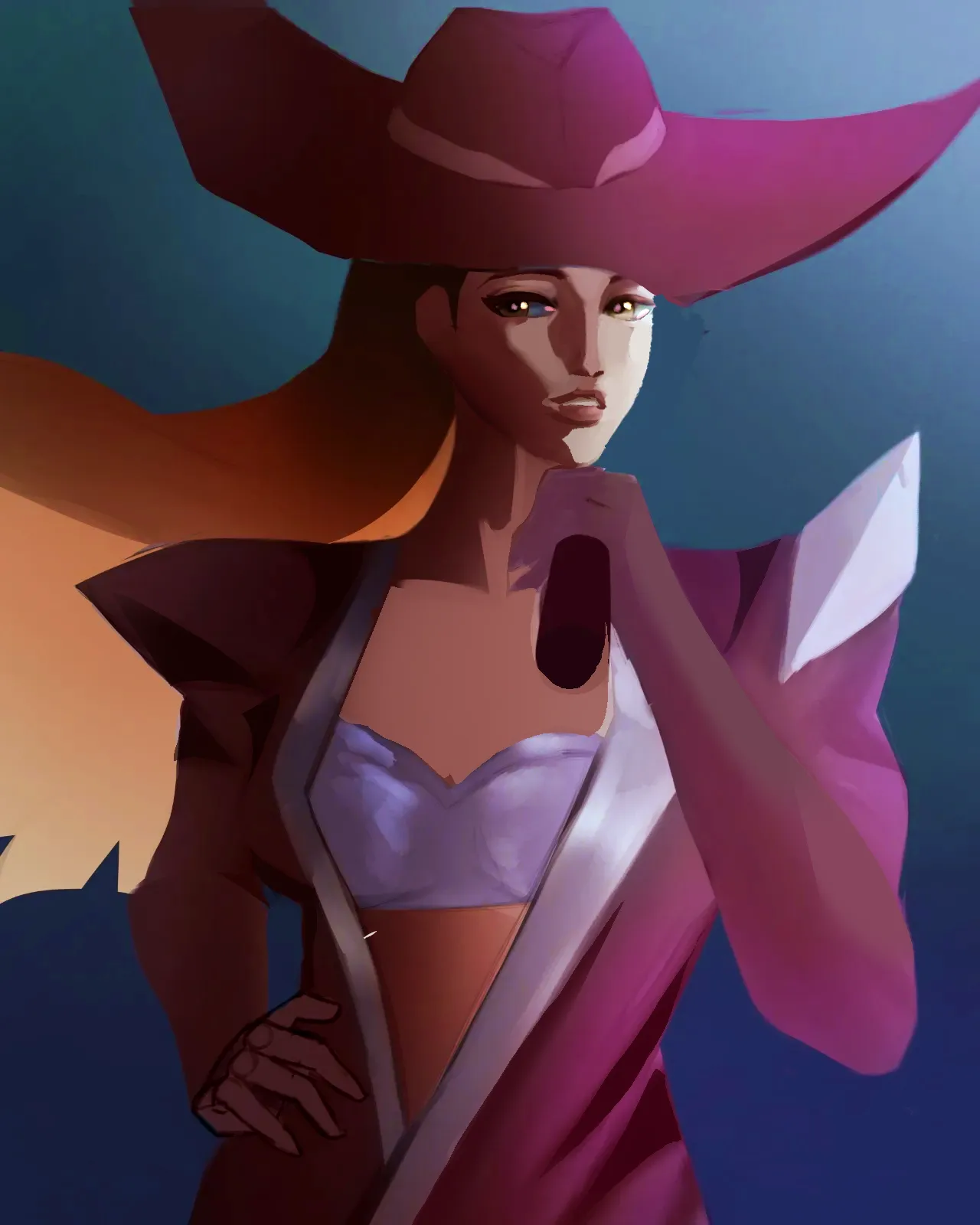

Again, I apologize for how lacking this paintover is and for removing her glasses! I didn't remove them because they were a bad design choice, they were not, only to show the face better.But I hope you see what I mean about edges. I also adjusted her face, defined her nose, added a darker shadow under the lips to stop them from blending into the rest of the face. I didn't add a cast shadow from her hat though, and the neck and chest area I did pretty much in two values. Lastly, please pay attention to the darker shape at the bottom of her jaw. This is also to define the face from blending into the neck. My last tip: turn the artwork into grayscale if you're not sure what's not working, it can point out the lack of contrast pretty early on, and check out paintovers by Angel Ganev in his YouTube shorts, he explains this stuff very well.
Pinturas (2)
Evelynn Kda Firestarter
Notas de autor:
Im trying to get better at defining forms and rendering, the skin and the clothe look a bit flat
Comenta 2
I don't know if this is your OC or a character from elsewhere, but I love her! She looks so slayful, I love the color distribution on her design, and your stylization of the eyes. and right away I want to apologize for removing her sunglasses 😭They added so much, I only painted over them to show the rendering on the face better. I'm sorry!!! Contrast and edges are your best friends for depth! If your art software allows it, use Posterize on references — it can help you find shapes in more mellow / fuzzy shadows! I used Posturize (in Ibis Paint) to break my reference down into just two values. Based on how you break down the shadows, I already suspect you're familiar with Magic Poser, but if not — that's the app I used! To replicate your lighting, I used the Spot lighting option. Now, for edges. In a painting, the eye always gets drawn to the part of the image where the edges are the hardest, so they are REALLY important. I know the opacity is lowered (I wanted the planes outline to be more visible on top of the drawing, we'll get to that later), but pay attention to the edges I added to the folds on her jacket and the edge on the side of her cheek. I would suggest you always start with a hard brush when just laying out the shadows, and blend them out later. I would also suggest you use more saturated colors for the shadows. I work in Ibis Paint, so another thing I did to your image is up the contrast by 4% and the saturation by 5%. Besides the hard brush, you can try to select the shape of your shadow and fill it in with the air brush (this is how I did the folds on the clothes). It allows you to add more color and value variation within the shadow itself. Lastly, frankly my paintover of the face is severely lacking because I wasn't sure how to preserve the character's likeness and modify her face at the same time. I shrunk the right (my right) half of her face, as well as lips, because, based on how you drew her nose, she is in a three-quarter view. I think that fixing the face is something YOU are better equipped to do than me! The model is Basic Planes of the Head (Andrew Loomis) on Sketchfab, by Velicsek Artistic Anatomy. And, finally, I would suggest you look into exercises like the two value study! (in 100% grayscale). It might seem counterintuitive, but the thing with painting is, if your BIG value shapes make sense, you can add as much detail as you want inside them. Contrast and edges are VERY related to values, and how you learn values is very tied into grayscale studies. And if you can break down an image into just two values, you can build on top of that a lot. Again, I would suggest Posturize in Ibis Paint or another software for breaking down complex references. Slay! Seriously, she looks like someone out of KPop Demon Hunters.